
Launching The Lazy Animator - Create More Animation with Less Effort - Courses, Tutorials, and Resources for Animators

The Lazy Animator Beach Working

Long before I became a Reallusion Certified Trainer I had this idea to create a course to teach the basics of Reallusion's Cartoon Animator 4 studio to people who have never used the application before.

While there are a few other courses out there, and literally hundreds of free video tutorials at this point, it's all very confusing for newcomers who just want to animate their epic animated feature film with the least amount of effort actually learning how to make animation.

That's where my new website, The Lazy Animator, comes in.

Why The Lazy Animator? In this instance 'lazy' is a good thing that's very in line with Reallusion's mandate of developing applications to create more animation with less time and effort. The Lazy Animator website is all about helping you unlock the complexities of animation by walking you through the easy steps that get you to epic greatness quicker.

Why do I think I can help you to greatness quicker? The answer is, I'm all about shortcuts and doing things the easy way. That's why I gravitated towards Cartoon Animator in the first place. It's filled with shortcuts to greatness.

I've tried Toon Boom Harmony, Moho, and even dabbled in proper hand drawn animation. All that takes too much time and effort before you see any useful results. I just want to animate a fun little short without wading through a gazillion options for rim lighting 2D characters so they look more 3D.

With Cartoon Animator you can be animating your own work within an afternoon, and probably even finish something fun the same day. It won't be epic, or even great, but it was fun to make and didn't take weeks to create. Tomorrow you can do it again, and the next day again. Learning a bit more each time.
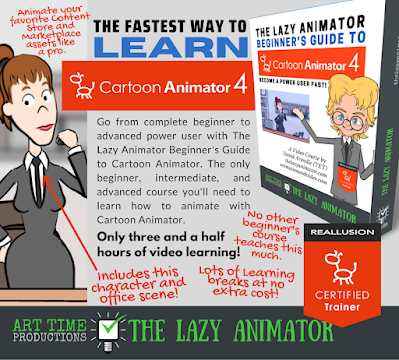
So, back to that course I mentioned, which I always planned to title; The Lazy Animator Beginner's Guide to Cartoon Animator. This is a three and a half hour, video course (split into 21 videos each around ten to twelve minutes long). Each video progressively introduces you to the key animation features of Cartoon Animator in a logical order so that you'll know enough to start making your own animations within an afternoon (if you powered through the course though, realistically, you might want to learn over a few sessions).

The Lazy Animator Beginner's Guide to Cartoon Animator is a paid product that saves you hours of time searching through free tutorials, wondering where to start, and where to go next.

Along with this flagship course you will also find plenty of low cost tutorials covering other aspects of Cartoon Animator and other applications too as I develop them.

A great follow up tutorial to The Lazy Animator Beginner's Guide to Cartoon Animator is The Fastest Way to Rig a Character in Cartoon Animator - The One Sprite Character Rig

The Fastest Way to Rig a Character in Cartoon Animator Tutorial
This tutorial is the first in a series (available as a bundle of three tutorials here) where I show you how to rig a character using just one full character sprite image and, in future tutorials, I'll show you what you can do to improve the character to remove some of its limitations.

If you've ever wanted to animate your own characters but found Cartoon Animator's G3-360 Head/Bone Hand characters too overwhelming to understand, this is the tutorial series that's going to get you there, starting with the easy step of rigging just one sprite.

The Lazy Animator website will be getting new content, as I continue to develop it. Feel free to sign up to the newsletter there to be kept in the loop on new tutorials. 

My intention is to make every post useful to creating animation. While it's centered around Cartoon Animator at the moment I do plan to branch out into other applications useful to animators as well.

Visit The Lazy Animator site now and, if you do try the One Sprite Character Rig tutorial, I'd really appreciate some feedback on how easy (or hard) you found it to follow.

Comments

  1. Subtitles are also required to make video animations. AutoSub(https://autossub.com) is a free tool to automatically add subtitles and supports subtitle translation in multiple languages

    ReplyDelete
  2. Probably the most popular and important thing one will look for and find is character rigging. It's not something I thought I'd do as I've settled with buying assets but personally there are a lot of reasons why I'd recommend someone not to get too involved with that. If I were to get into rigging I'd definitely do away with the big 2danimation101 course (even though I have access) and get yours instead. I really hope users of CTA take notice of the hard work you do and how good f a teacher you are.

    ReplyDelete
    Replies
    1. Thanks again. I hope so too. :-) There's nothing wrong with buying assets instead creating them yourself... but you eventually get to a place where you just can't find the character you need, so you just have to make it yourself.

      Delete

Post a Comment

This blog is monitored by a real human. Generic or unrelated spam comments with links to sites of dubious relativity may be DELETED.

I welcome, read, and respond to genuine comments relating to each post. If your comment isn't that save me some time by not posting it.

Popular posts from this blog

Eight 2D Animation Apps For Your Phone or Tablet Mobile Device

M obile productivity apps have become so capable that they can be great alternatives to their PC/MAC equivalents or serve as great tools in their own right when you're away from your desk. While some apps simply mimic their desktop counterparts, others offer well thought out, touch-friendly interfaces that are easier and more fun to use. Every so often I check out what's available for 2D animation for Android devices, since that's what I use, that can complement my workflow with Reallusion's Cartoon Animator 5. Some may be available for Apple devices as well. Below I've listed six free (F) apps (with optional paid (P) upgrades) on the Google Play Store that you might want to explore. Some are just fun apps on their own while others may be useful as part of your workflow on bigger animation projects. Not all are exclusively animation apps and could be used on any production. JotterPad (F/P) The name JotterPad makes this sound like a notepad application but it's ...

Inochi2D - Free Open Source 2D VTuber Avatar Rigging and Puppeteering Software (Part 1)

Inochi2D Creator - Free Open Source VTuber Software. If you've been looking for a way to live perform as a 2D cartoon avatar on camera, whether it be for a live stream or for pre-recorded content like educational videos, then VTuber software is a low cost (or even no cost) option worth looking into. In my previous post, How to Become a VTuber - 2D and 3D Software for Creating and Controlling Your Avatar , I took a brief look at the relatively new but completely free and open source Inochi2D  which I thought showed great potential for my own needs of creating a live performance character rig for my own TET Avatar that I use for all my promotional materials. While it is possible to live perform my character using Cartoon Animator itself, Reallusion's MotionLive2D capture system isn't great - with lip sync in particular. More importantly though, I can't exactly teach people how to use Cartoon Animator if I'm using Cartoon Animator to control my Avatar. What is Inochi2D...

The Ultimate Independent Animator's App and Resource List - Animation and Video Life

Image created with Cartoon Animator 4. Being an independent animator is not like a studio animation job. There's so much more to do that is indirectly related to the actual task of animating. Over the years I've sought out many apps, tools, and services that can help me achieve that one single task, expressing myself through animation. Below is my Ultimate Independent Animator's Resource List for 2024 (last updated Oct 2024). It started out as a list of free or low cost apps that could help you in every stage of producing either 2D or 3D animation, and then just kind of grew from there. You may not have been looking for a Time Management App as much as you needed something to get you started in 3D animation but when those commissioned projects start coming in you'll have a head start on maximizing your time. All the apps and services on this list had to meet two main criteria: They had to be useful and relevant to an Indy Animator/artist. The base app/se...

Can a Solo Animator Make an Animated Feature Film or TV Series?

Series Creation Tip: If this is your first attempt at a series start small with two to four main characters and two or three sets that you can reuse each episode. My new series in development, Resident Dragon has four characters and is set in a suburban home. Recently I was asked if a solo animator could make a feature film? The short answer is 'YES'. Logically, with enough time, you can achieve anything. The very next question I was asked is how long do I think it would take and could it be done within a year? My initial answer was, it depends on the skill of the creator, noting that a Disney feature film takes a minimum of (I'm only guesstimating here) three to five years, based on when a movie is announced to when it actually gets released, with thousands of people working on it. Which implies that a single person trying to do the same thing may take the best part of a lifetime to make just one animated feature film. However is this really the case? Let's be clear, ...

Inochi2D - Free Open Source 2D VTuber Avatar Rigging and Puppeteering Software (Part 2 - Inochi2D Session)

In part one of my deep dive into the free VTuber software, Inochi2D , I focused mainly on Inochi2D Creator, which is used for rigging your character avatar in the correct file format for use with Inochi2D Session, the puppeteering part of the software. The two sides of the software are still very much in development and the documentation, particularly for Session, is very thin on the ground. To the point where I don't think I could even do a comprehensive tutorial because I'm not sure I'm even doing things right, and the software could change significantly in a single update. As a result, in this part of my Inochi2D deep dive I'm changing tact from presenting my finished Cartoon Animator TET Avatar, and will be summarizing my experience of getting Session up and running using OpenSeeFace as the recommended webcam motion capture software. To do this I will be using  the TET avatar I created in my review of Mannequin , since that can be exported as a full, ready to go r...

Wonder Unit Storyboarder - Free Storyboarding Software for People Who Can (or Can't) Draw

Wonder Unit Storyboarder.  As an independent and solo animator I'm always tempted to try and skip storyboarding my animated shorts because they're usually only single scene sketch comedy type jokes. As a result I have many unfinished projects that kind of petered out due to having no clear finishing line. Storyboarding your productions, no matter how small, gives you a step by step guide of every shot that needs to be completed (no planning shots as you animate). It also allows you to create an animatic that gives you a rough preview of the finished production. In short, you shouldn't skip storyboards as they, generally, increase the chance of the project being completed. Disclaimer - I'm Not a Fan of Storyboarder Upfront, Wonder Unit's Storyboarder  is not my preferred storyboarding software. However it's completely free, has a number of very compelling featu...

Jarrad Wright, The Big Lez Show - Who Would've thought Animating with MS Paint Could Take You So Far?

A friend of mine recommended I should check out The Big Lez Show after I mentioned to him I make animations for living. He said the show's creator, Australian animator, Jarrad Wright , just makes episodes from his home using MS Paint. Somewhat shamefully I hadn't heard of The Big Lez Show, but the fact that it was being made with MS Paint absolutely hooked me into checking out. If you've never heard or seen the show then you, like I was, are probably thinking how good could it be? MS Paint has kind of a cult following of hardcore animators but no one would use it as their primary animation tool on a series, right? WARNING - before going any further, you need to know The Big Lez Show and its humor contains some pretty strong language. By strong I mean it's peppered very liberally with the 'F' and 'C' words and is very every day Aussie, blue collar speak. Unapologetically, all of that, is part of why it's so good. There's a good chance you've...